Create contact or telephone lists online

Create a digital contact or phone list for school, daycare, clubs, teams or private groups - free and privacy-friendly.

Ready immediately No app installation Free Privacy-minded

Create a contact list
Set up your digital contact list in minutes.
Share easily
Share the list by link, QR code or WhatsApp.
Communicate directly
Call contacts or write via WhatsApp or email.
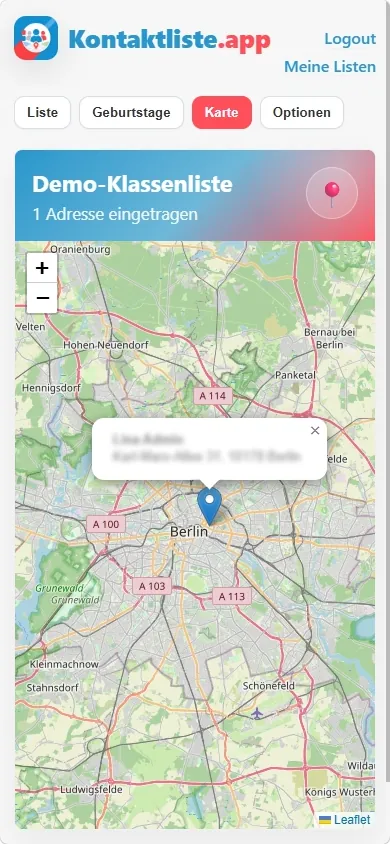
List and map view
Find contacts quickly and see who lives nearby.
Secure and GDPR-minded
Collect only necessary data, hosted in Germany.
Digital contact list with contact details, actions and map view
  • Map view
  • WhatsApp & email
  • PDF export
  • Share QR code
100% free

Maintain a digital contact or phone list with birthdays online

Collect, share and update contact details and birthdays for school, daycare, clubs, teams or friends.

Start directly in the browser on phone, tablet and desktop · Use list view, map view, admin tools and PDF export.

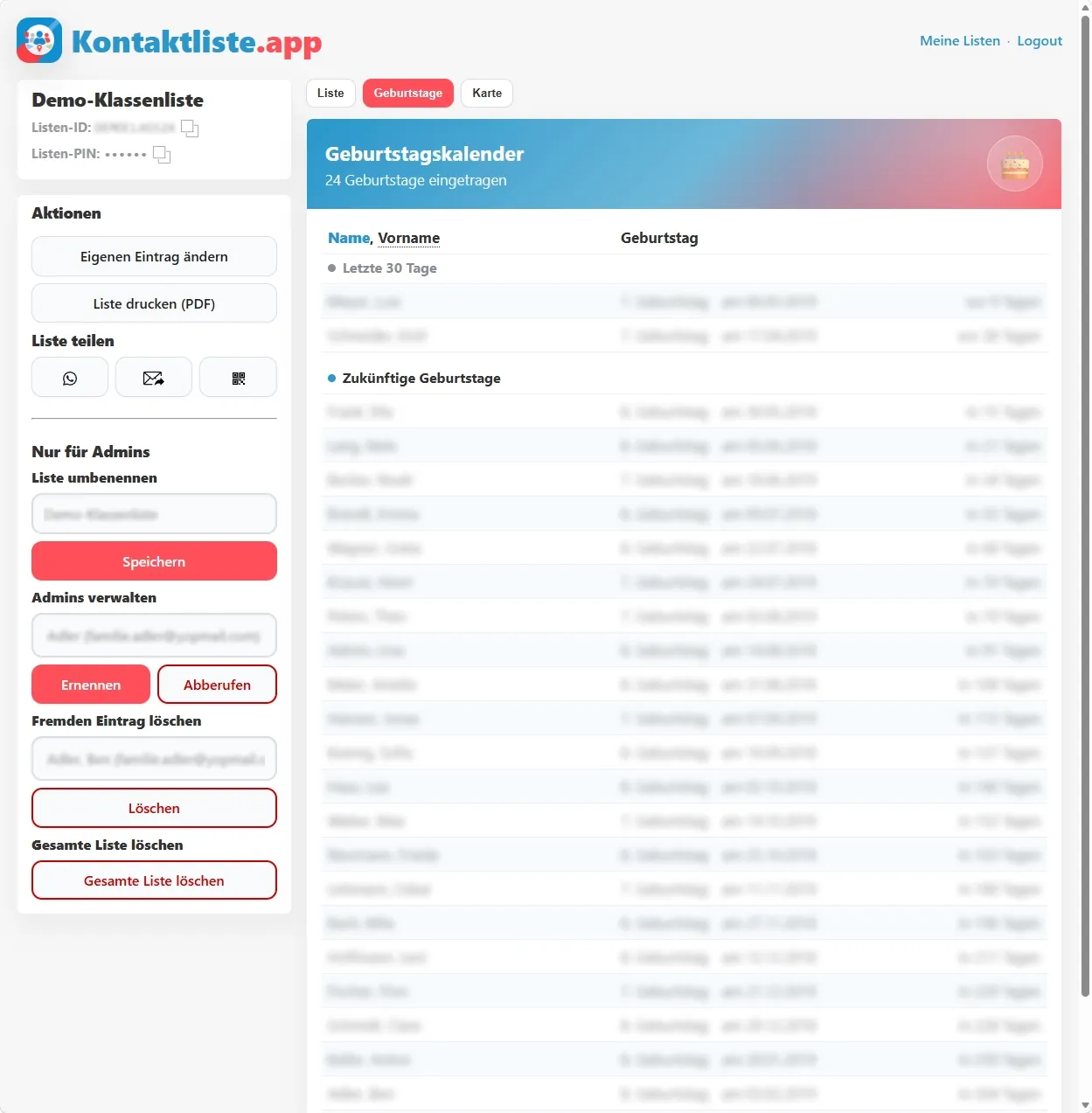
Screenshot for editing your own contact-list entry

Useful for many groups

Organize contact data for school, daycare, clubs, teams or private groups in one place.

Faster than spreadsheets

Replace files sent around by a list everyone can fill, update and export themselves.

Start for free

Create your first list for free - ideal for private users, parents and small groups.

Privacy in mind

Share only necessary data, change entries any time and use servers in Germany.

Why an online contact list makes sense

In many groups, contact data gets lost between messenger threads, emails and manual spreadsheets. When you need to reach someone quickly, you need an up-to-date overview.

With Kontaktliste.app, you create a digital contact list that is easy to share, keep current together and print as a phone list when needed.

How it works

  1. Create a list: Enter the list name and your email address
  2. Confirm email: Click the confirmation link or enter the one-time code
  3. Add contacts: Enter only the data you really want to share
  4. Invite others: Use link, QR code, WhatsApp or email
  5. Keep it current: Edit, export or delete data any time

What value does the app provide?

  • Online and PDF: Use the list digitally or as a classic phone list
  • Full control: Change or delete your own data any time
  • Multiple lists: Manage contacts for different groups separately
  • Easy access: Read with list ID and PIN, edit with confirmed email

Features at a glance

  • Contact by phone, WhatsApp or email
  • Map view for addresses and nearby contacts
  • Birthday calendar for birthdays and upcoming congratulations
  • PDF export for printing or filing
  • Invitation by QR code, email or WhatsApp

Privacy? Considered from the start.

  • Voluntary, not mandatory: Each person adds themselves and decides whether they want to participate.
  • Sparse data fields: The list asks for practical contact details, not extensive profiles.
  • Self-maintained details: Data comes directly from the people it concerns and can be updated later.
  • No public search: Lists are not meant as a public directory, but for clearly defined groups.
  • Deliberate visibility: Not every detail has to be shared; sensitive fields remain optional.
  • Browser instead of app access: No installation is needed, and the app does not need access to location or saved contacts.
  • European orientation: Hosting and operation are designed for use in Germany and Europe.
  • Cleanup instead of accumulation: Lists that are no longer used should not remain unnecessarily forever.
  • Easy to understand: The interface should not hide privacy choices, but make them understandable in everyday use.

Frequently asked questions

Can I change or delete my data later?

Yes. After logging in with your confirmed email address, you can edit or delete your own entry at any time.

Do all fields have to be filled in?

No. Enter only the details that make sense for your list and that you want to share.

Who can see the contact list?

Only people with access to your list. Access requires the list ID and list PIN.

Why does a contact list need a PIN?

The PIN prevents a list from being opened just through a forwarded or guessed link.

What happens if too many people know the PIN?

Admins can generate a new list PIN. The previous PIN stops working afterwards.

Can I use several contact lists with the same email address?

Yes. You can join multiple lists with the same email address and switch between them.

Can I print the list too?

Yes. You can export the contact list as a PDF and print it when needed.

Who manages a contact list?

The person who creates the list is the first admin and can grant admin rights to other people.

What happens to old or empty lists?

Empty or long-inactive lists are cleaned up automatically after reminders so unnecessary data is not kept.

Ready for a clear contact list?

Create your first digital list now, share it directly and keep contacts up to date together.